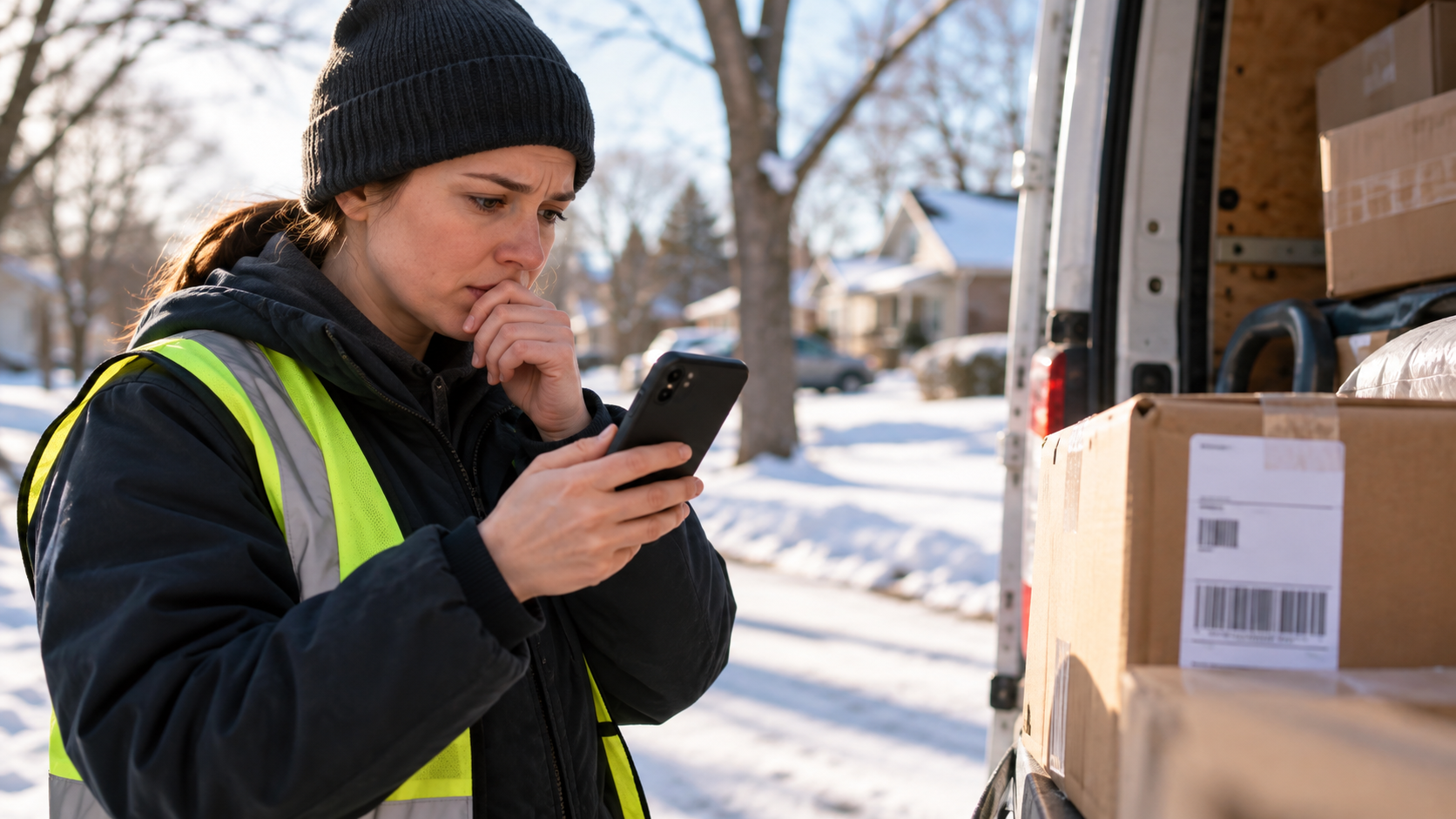
A driver posts a quick photo after a long route. The caption is about the weather or a crowded loading area, but a parcel at the edge of the frame has a readable label. A name, address, tracking number, or barcode may be visible to people who had no role in the delivery. The post can travel through shares and previews before the driver notices. Handling it requires more than making the original image disappear from one screen.
To handle a package label visible in a social media photo, stop further sharing, identify the exact post and what the label reveals, and use the employer's designated privacy or security reporting channel. Follow authorized instructions about removing or restricting the post. Do not repost a blurred version until the employer approves that use, and do not send the image to a group chat to ask whether the label is legible. Keep the parcel's actual route status separate from the information exposure.
The NIST Privacy Framework describes how organizations can identify and manage privacy risks. NIST mobile-device guidance addresses work-device security. These are general sources; they do not decide whether this employer permits a route photo, whether the post requires customer notification, or which platform action is appropriate. The driver's job is to preserve accurate facts for the authorized owner and follow the current policy.
Recognize what a label can reveal
Delivery labels vary. One may display a full address and recipient name. Another may show an apartment number, sender, tracking code, or machine-readable barcode. Even a partial label can be linked to a building, package, or time when the surrounding photo shows a vehicle or storefront. Do not decide that a post is harmless because only some characters are legible on your phone. A larger image, screen zoom, or original upload may expose more.
At the same time, report what is actually visible rather than guessing. “The street address and recipient surname can be read in the public post” is clearer than “all customer data leaked.” If the image is compressed and you cannot tell whether the tracking code is readable, say so. The employer can assess the image at its original resolution and decide what information the post disclosed.
The label may also belong to a different parcel from the one the caption discusses. Do not infer the affected customer from the caption or route sequence. Use the actual package identifier through an approved system when the responsible team asks. Avoid typing the address into a personal message while trying to identify the item; that creates another uncontrolled copy of the same information.
Stop new shares and keep the post facts
Once you notice the label, do not comment on the post with the customer's details or ask followers to inspect it. If others have tagged or shared the image, record that as an observed fact. Note the platform, account, post URL or identifier, upload time, audience setting, and whether the image appeared in stories, cross-posts, or scheduled posts. This gives the incident owner a way to find the material without sending it repeatedly.
The post may have been uploaded from a personal phone, a company-managed account, or a coworker's profile. Those contexts affect who can change it and how copies are traced. Do not use another person's login to remove content or assume you can speak for an employer account. If you own the account, follow the organization's immediate containment instructions. If you do not, report the account and post identity to the person or team authorized to act.
Record enough before-state for a truthful report, but use the approved incident channel for that record. A fresh screenshot saved into a personal photo library can add another copy of the label. If the process requires a screenshot, capture and transmit it through the designated tool, with the audience limited to people handling the incident. The goal is evidence for action, not a private archive of the exposed image.
File a package label exposure report
A package label exposure report should say who posted the image, where it appeared, when it was noticed, what part of the label appears readable, and what actions have already been taken. Include whether the post was public, limited to followers, or sent into a private group, if you know. Distinguish a visible post from a draft that never uploaded. If the network connection was uncertain, say that rather than claiming the platform accepted or rejected the upload.
Use the employer's privacy or security channel, even when a supervisor also needs to know for route operations. A supervisor may be able to find the parcel but may not own the exposure response. If the post was made by a coworker, do not speculate about their intent. Report the link or account and the visible facts. The designated owner can contact the poster, assess copies, and determine the next authorized action.
Do not decide alone whether the customer should be notified. The employer may have legal, contractual, and factual questions to resolve first. Telling a customer “your address was leaked” before confirming the visible content and audience can misstate the event. The driver can report promptly and accurately without taking over the organization's notification role.
Use public post containment through the approved owner
The public post containment step may involve removing the post, changing its visibility, contacting the account owner, or asking a platform to address a repost. The exact sequence belongs to the employer's process and the account's authorized controller. A driver should act quickly within that authority but avoid claiming that one delete action erased all copies. Followers may have viewed a preview, saved an image, or shared it elsewhere.
If you own the account and the employer directs immediate removal, follow that instruction and record when the post was taken down. If the account is company-managed, use its assigned owner or administrator. If the image is on a coworker's account, report it to the responsible team rather than arguing in public comments. A public exchange can draw attention to the label and spread the image further.
After containment, verify only the result you can observe. The original URL may no longer display for your account, yet cached previews or other shares may remain. The incident owner should decide what additional checks are warranted. Do not create a second post saying you removed a customer label. That announcement can identify the customer or invite people to search for the original.
Separate the delivery record from the post
A label in a social photo is an information exposure. It does not prove that the package was delivered, lost, stolen, or misrouted. Check the authorized route record if the incident owner needs the package state. If the parcel was still in the vehicle when the photo was taken, say so. If it had already been delivered, use the accepted proof and stop record. Do not change the delivery status to make the exposure look less serious.
The image may show a stack of several parcels. Identify which visible labels belong to which stop through the work system. Do not infer from a partially visible number that only one customer was affected. If uncertainty remains, report the range and the next lookup needed. An accurate scope matters more than an immediate but unsupported count.
If the route is handed to another driver, give them only the operational facts they need: parcel custody, verified stop status, and any support hold. The privacy team can handle the social post. Do not forward the exposed image to the replacement driver as a route aid. The package label already exists in the work record; the social copy should not become the handoff record.
If a customer asks the driver about the post during the route, avoid speculating about reach or promising a remedy that has not been confirmed. Give the employer's approved contact route and notify the incident owner that the customer made contact. The driver can still answer ordinary delivery questions through the authorized channel, but should not use the customer conversation to perform an informal investigation of who saw the image. Keep the exposure case linked to the correct parcel without putting more label details into public messages.
Work through a vehicle-loading example
Imagine a Saint Paul driver photographs a tidy vehicle load and posts it to a personal story before leaving the depot. The foreground parcel is turned label-down, but one box in the rear shows a readable name and street address. A coworker spots it thirty minutes later. The driver pauses further posting, notes the story's account and time, and reports the visible label through the approved incident channel. They follow the account owner's instructed containment step and record when it happened.
The driver does not send the story to five coworkers for opinions about readability. They do not write the customer's address in a group chat to identify the box. Dispatch or the designated owner can use the work manifest to match the parcel. If the driver has already started the route, they continue or pause delivery according to the supervisor's actual instruction; the story itself does not change the package's physical custody.
Now suppose the driver learns the story was cross-posted automatically to another account. They add the second account and its observed status to the same incident record. Removing the first story may not remove the cross-post. The designated owner tracks each known location, rather than assuming one action closed the exposure. If the driver cannot access the second account, they say so and identify who appears to own it.
Check reposts without amplifying the label
An image may be shared by followers, captured in a screenshot, or previewed in a message. The driver should not start a broad public search that republishes the photo or asks others to inspect it. Give the incident owner any known share link, tag, or message, and follow their direction for checking additional copies. If a coworker tells you they saved the image, report that fact through the approved channel rather than asking them to send it back to you.
Do not make claims about what a platform can permanently erase. A deleted story may disappear from the ordinary feed while backups or screenshots remain outside the driver's view. The incident team needs the observed facts and platform controls available to the account owner. The driver should not promise that every copy is gone merely because the original account no longer displays the image.
If a repost includes a caption that adds a customer's name or location, treat that as a separate observed disclosure. Record the link and text through the incident process. Do not correct the caption in a public comment by supplying the true address. Public correction can create a more accurate and more visible exposure than the mistaken post.
Prevent the next casual route photo
The safest route photo decision is often to avoid taking or posting a scene that contains active parcels, route screens, labels, or customer locations. If an employer permits social content, use its approval and framing rules. Check the full image at the resolution intended for upload, including corners, reflections, mirrors, and background screens. A thumbnail is too small to assess small text. Also check whether the app adds location or other context automatically under the employer's policy.
Do not rely on a quick blur from a personal editing app as blanket permission to publish. A barcode, address fragment, delivery time, or vehicle location may remain. Cropping can remove the label but reveal another parcel at the edge. An approved review process may be needed for company content. A driver who wants to share a personal milestone can choose a setting that contains no customer work at all.
Before using an employer-approved image, inspect the final exported version rather than only the editor preview. Compression, filters, and automatic crops can change which part of a label is visible. Check the audience setting at the point of posting as well; a draft intended for an internal team can become public if the wrong account is selected. If the approved process requires a reviewer, give that reviewer the actual final file and intended caption. Approval of an earlier version does not necessarily cover a later crop or repost.
This prevention topic is narrower than every social-media rule. The issue here is a package label in a photo. A bystander in a proof-of-delivery image needs the proof workflow. Work messages in a personal social account need the authorized communications workflow. The common habit is to check the actual data and audience before creating another copy, while following the distinct process for each kind of mistake.
Respond if someone else made the post
A driver may discover a label in a coworker's photo, a building staff member's post, or a customer's public image. Do not assume you have authority to remove someone else's content. Record the link, visible label facts, and relationship to the route through the employer's reporting channel. The responsible team can decide whether and how to contact the poster or platform. Publicly accusing the poster can amplify the image and make the facts harder to recover.
If the post came from a work account you manage, use its designated administrator process. If it came from a customer's account, avoid confirming additional delivery details in the comments. You may not know why the customer posted it or whether the parcel belongs to them. The employer's privacy or customer support owner can assess the appropriate response. The driver can still protect the route record by keeping any live parcel status accurate.
When a coworker says they have already deleted their post, ask for the time and account identity only through the approved incident process. Deletion is useful evidence, not a reason to skip reporting. The original audience, possible shares, and label content still need to be established. Do not demand access to the coworker's personal account or device to verify the claim yourself.
Ask about social-content rules when comparing driver jobs
Applicants may see recruiting photos of vehicles and routes and assume drivers can post similar images. Ask how the employer handles personal social content involving parcels, customer locations, or route screens. Who approves a work image? Where should a driver report an accidental post? Who can act on a company account? A clear answer gives a practical boundary before a driver shares an apparently harmless loading photo.
The Saint Paul delivery driver Careers hub provides local role context. The published delivery job-offer review guide can help candidates ask about device, support, and communication expectations. The employer's current social-media and incident policies govern actual posting and correction decisions.
When a label has appeared online, the useful driver response is factual and bounded: stop new sharing, identify the image and audience you can observe, report through the approved channel, and follow the authorized containment instruction. Keep the package's physical and digital delivery history truthful. That lets the incident owner assess the information exposure without turning a casual photo into several more copies of the same customer data.