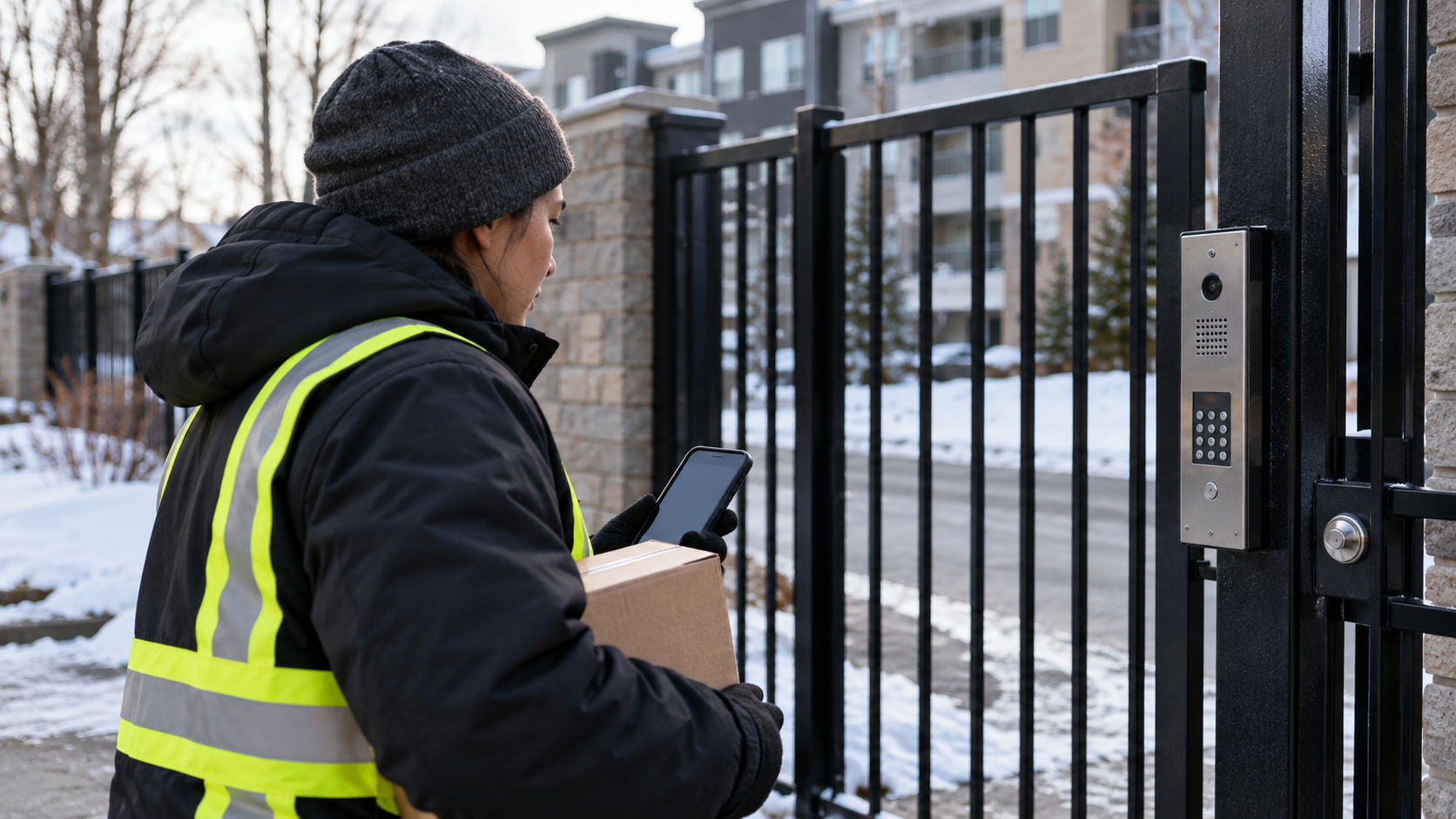
You reach the address, but a gate is locked, an intercom has no listing for the recipient, and you cannot reach the handoff point. The route app asks you to choose a stop outcome. A Minnesota delivery driver access barrier documentation note should describe the barrier and the steps you actually took. It should not say that the customer refused the parcel, that a delivery was attempted at the door, or that the package was left safely if none of those things happened.
The distinction matters because the next person may act on your record. A dispatcher may arrange access, a recipient may receive a notification, and another driver may return with the parcel. They need to know what you saw, where you stopped, who you contacted, and whether the parcel stayed with you. You can make that account precise without guessing the building's reason for the barrier or using a status label you do not understand.
This article focuses on the record after access cannot be established. Other guides address choosing an entrance, responding to a closed assigned door, and following a separate receiving dock. The access problem may arise in any of those settings. OG-205 owns the truthful description of an unresolved barrier and the resulting parcel custody, rather than the physical route for solving every access problem.
Describe the barrier before choosing a status
Begin with an observable fact. “South gate locked at 2:14 p.m.” is stronger than “building refused delivery.” “Intercom displayed no listing for Suite 420” is more useful than “customer unreachable” if you never called the recipient. If a sign lists receiving hours that ended before you arrived, state the wording and time. If a call was unanswered, name the number or role you called through the employer's approved system without copying private contact details into a public note.
Separate the place from the interpretation. A locked gate may be normal for a secured property. It does not prove the business is closed, the customer is absent, or an employee denied access. A security guard may have asked you to wait, while the recipient never responded. Record those as distinct facts. If you do not know why the gate was locked, say that the reason was not confirmed.
A blocked delivery access note can follow a simple sequence: arrival time, exact barrier, contact steps, response, lawful waiting location, and parcel outcome. Use ordinary words. You do not need to reproduce every route timestamp or write a long narrative about how frustrating the stop felt. A concise account helps another driver check the right entrance or ask for the right credential on the next attempt.
If you photographed a sign under employer policy, note what the image shows and when it was taken. A photo can support the sign's wording, but it does not prove nobody was available inside. Avoid photographing private access codes or people who are unrelated to the delivery. If taking a photo would require unsafe stopping or entering a restricted area, write down the observation instead.
Build a truthful delivery attempt record
A truthful delivery attempt record reflects the actual contact and access steps. Employers define their own status names and thresholds. One system may have “no access,” another may have “delivery attempted,” and a third may require a supervisor exception when the driver cannot reach the door. Ask how to code the event rather than choosing the label that makes the route look finished.
The USPS package-tracking FAQ lists distinct statuses for delivered items, attempted delivery, and no access to a delivery location. That is an example of why status words carry different meanings. USPS labels do not dictate another employer's scan rules. Your employer's actual definitions and the shipment's instructions control the entry you make, while the free-text note should state the facts regardless of the code.
If you reached a public entrance, rang the recipient, and received no answer, describe those actions. If you remained at the curb because there was no lawful place to park, do not claim you reached the entrance. If the route app automatically stamps “arrived” from GPS, explain that arrival near the address did not mean access to the handoff point. The map's event is one observation; the driver's note supplies the missing context.
Do not mark a signature-required parcel delivered because it was placed near a gate or handed to an unidentified person. Do not record a customer refusal unless the customer actually refused it. If a site guard says the parcel cannot enter, identify the guard's role and words as accurately as you can; that is not necessarily a refusal by the named recipient. Keep the shipment's physical custody consistent with the status entry.
Keep safety decisions separate from delivery outcome
An access barrier may tempt a driver to stop in a driveway, bus area, or travel lane while trying a gate. Minnesota Statutes § 169.34 identifies several prohibited stopping and parking locations, including a driveway. Current signs and local rules also matter. A delivery deadline does not give general permission to occupy a prohibited space. If you cannot park lawfully enough to investigate, report the parking limitation as part of the barrier.
The NIOSH work-driving safety page offers general context for preventing road injury on the job. Its relevance here is that a route status should not push a driver into a risky stop just to generate a door photo or scan. It does not decide whether a particular curb is lawful or whether an attempted-delivery code is justified. State what you could safely do from the lawful position available.
If you move the vehicle to a legal space farther away, note that the entrance was checked after parking there. If the parcel is too heavy to carry safely from that spot, state the physical limit rather than pretending you reached the door. If a gate blocks pedestrian access but vehicle access appears open, do not drive through until the site authorizes the route. The access investigation remains separate from permission to use a lane.
When dispatch gives a next step, note it with the safety constraint. “Dispatch asked me to return after 4 p.m. when the loading entrance is staffed” gives a clear plan. “I will try again later” may be your proposal, not an authorized route change. If a later attempt requires a code or escort, ask how that access will be obtained without putting private credentials into an inappropriate note.
Record contact attempts without exaggerating them
List whom you contacted through approved channels and what happened. “Called the listed recipient at 2:17; no answer” differs from “spoke to the recipient.” “Pressed intercom for Suite 420; no response” differs from “building intercom broken.” If the device displayed an error, record that. A single unanswered call does not prove the recipient was unavailable all afternoon.
If a site worker gives information, distinguish their observation from your own. “Guard said loading gate opens at 3 p.m.” is not the same as a posted schedule. If the guard offers a different entrance, ask whether it is authorized for the parcel and report the instruction's source. If you cannot verify the alternative, say so. Do not turn a passerby's suggestion into a confirmed recipient direction.
Avoid copying sensitive information into the note. A building code, a resident's phone number, or a photo of a private directory may not be appropriate for broad route access. Use the employer's secure channel for necessary details. A note can say “recipient contact supplied an access method to dispatch” without exposing the method to every later reader.
Time matters, but precision should be honest. Use the app's actual event times when they reflect what happened. If you made a call at approximately 2:20 and have no log, label it approximate. Do not adjust times to fit a delivery window or to make a contact attempt seem longer. A clear sequence with honest uncertainty is more reliable than fabricated minute-by-minute detail.
Separate an access barrier from a failed handoff
An access barrier stops the driver before the authorized handoff point. A failed handoff occurs after the driver reaches that point but cannot complete the required transfer. The difference affects what a later driver should try. If the driver cannot enter a gated property, the next step may be a code, escort, or contact. If the driver reaches the recipient's door but nobody answers, the next step may be a different contact time or the employer's notice process. Describe where the journey stopped.
The distinction can be narrow. A driver may enter a public lobby but be unable to pass a locked elevator bank. That is still an access limit before the suite. A receptionist may accept visitors but refuse to hold parcels. The driver has reached a person, yet not an authorized parcel receiver. State both observations: “Lobby open; desk does not accept deliveries for Unit 312; elevator requires resident access.” Do not summarize the whole event as “customer unavailable” when you never reached the unit or the named recipient.
If the site offers a parcel shelf, mailroom, or side door, verify whether it is authorized for this shipment. The existence of a possible alternative does not mean you attempted delivery there. If you checked the shelf and found a sign limiting it to a different carrier, record that. If you never reached the shelf because access was blocked, do not write that it was full or closed. Keep the record tied to actions you completed, not routes you considered.
Where the employer's status menu combines several conditions under one code, the explanatory note becomes especially important. Select the category through the approved procedure, then add the precise barrier and contact sequence. If the available category would affirm something false, ask dispatch or support how to record the exception. Do not solve a poor interface by inventing a customer refusal, a door visit, or a delivery. The employer can only repair a recurring access problem if the underlying observations remain visible.
Correct a status entered before the facts were clear
Sometimes a driver taps a status too early and learns more a few minutes later. A gate that looked closed may open after a recipient call. A scan marked “attempted” may have been created automatically when the vehicle came near the address. Follow the employer's correction process and preserve what the system originally showed. Update the event to match the completed sequence, or ask support to do so if the driver cannot edit it. A second contradictory scan without an explanation may confuse the recipient and the next route owner.
If a false completion was entered, act promptly. Tell dispatch that the parcel remains in your custody and that the delivered status is wrong. Give the scan time and the actual access barrier. Do not leave the package at an unauthorized place to make the status appear true. If someone else has the parcel, identify the actual transfer. A status correction and a physical-custody check should move together.
If the system sent a recipient notice before the correction, ask the employer how the recipient will receive the accurate update. Avoid sending an independent promise about a new delivery time unless dispatch authorizes it. The driver can still make the internal record clear: original code, reason it was wrong, corrected condition, and who handled the change. That history is more trustworthy than silently replacing the event after a dispute arises.
Do not treat every correction as misconduct. Interfaces can be confusing and events can change during a stop. The useful response is a timely, truthful repair. Do not backdate or alter route timestamps to create a cleaner story. If the event cannot be edited, add a dated note or support ticket linked to the same parcel and stop so the discrepancy is visible to anyone planning the next action.
Use a worked example to separate outcomes
Suppose a driver arrives at a residential complex at 1:45 p.m. The parcel names Unit 312. The public gate is locked, and the intercom directory has no Unit 312 entry. The driver parks lawfully nearby, calls the listed recipient once through the approved app, and receives no answer. Dispatch confirms no alternate access information is available. The driver retains the parcel. A truthful note would name the gate, intercom result, call, dispatch response, and custody. It would not say that Unit 312 refused delivery or that the parcel was left at the gate.
Change one fact: the recipient answers and gives the code required by the employer's approved process. The driver enters through the authorized route and reaches the unit. The barrier was resolved; the eventual delivery or attempted handoff should be recorded from what happens at the unit, not from the earlier gate problem alone. The note can retain the access difficulty as route context without leaving the stop in a failed state.
Change a different fact: the driver cannot lawfully park near the gate and therefore never reaches the intercom. The outcome is a parking-and-access limitation. It would be inaccurate to copy the first scenario's intercom and call steps. The driver should tell dispatch what was observed from a lawful position, ask for another plan, and use the employer's appropriate exception category. A route app's proximity event is not proof of a door attempt.
These examples are hypothetical. The recurring method is to describe the actual path taken, the contact reached, and the parcel's location at the end. Different facts lead to different status choices. The driver should not choose the most favorable label first and then write a story that fits it.
Write a blocked delivery access note for the next driver
Before closing the stop, ask what the next attempt would need. It might need a current receiving window, a tenant contact, a valid gate method, a different vehicle, or a lawful parking plan. Put the verified need in the route note if the system allows it. “South gate locked; intercom has no Unit 312 listing; dispatch needs recipient access instructions” is more actionable than “no access.” Avoid claiming that a solution will work until someone confirms it.
If the barrier appears temporary, mark the observation date. A gate that was locked on October 21 may be open tomorrow. A construction fence may move. Do not turn one stop's conditions into a permanent property rule. If several drivers encounter the same barrier, ask the route owner to contact the site and update future instructions. Preserve the earlier reports so the change can be understood without erasing what happened.
The parcel still needs a custody trail. If the driver returns it to a station, document the return. If another driver takes it, record the transfer under the employer's process. A status saying “no access” does not tell a warehouse where the item physically is. Keep the route record, handoff record, and actual package location aligned.
Drivers comparing delivery roles can ask how an employer supports access exceptions and truthful status reporting. The published delivery job-offer review guide can help frame that question. The Saint Paul delivery driver Careers hub gives broader role context. Neither page defines the stop code in your employer's system.
An accurate note cannot guarantee the next delivery succeeds. It can prevent a false completion or refusal from becoming the starting fact for the next person. State the barrier you observed, the contact you actually made, the authorized next step, and where the parcel ended the shift. That record is specific enough to act on without inventing a delivery attempt.