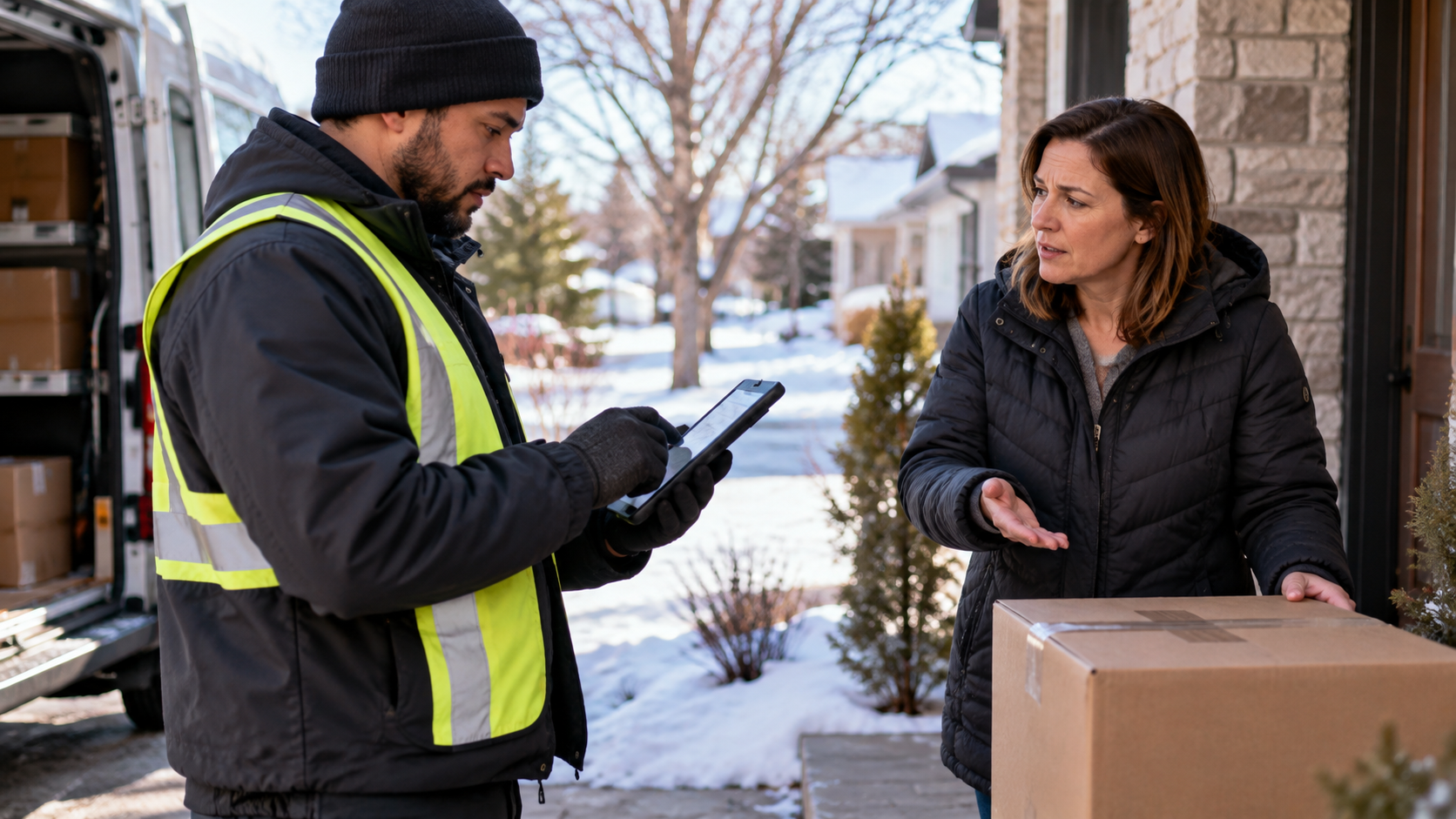
At 9:00, a route app lists a customer return for pickup. At 9:20, dispatch sends a message saying the customer canceled it. At the address, the customer is standing beside the box and asks the driver to take it anyway. A Minnesota delivery driver pickup cancellation confirmation check answers one question before the driver touches the item: is this exact pickup still authorized in the current task record? The answer may differ from the morning route list, the customer's recollection, and a notification that has not finished syncing.
Pickup services do allow requests to change. The USPS Package Pickup guide explains that a customer can edit or cancel a Package Pickup under its rules. UPS's pickup page tells customers who cannot meet a driver to cancel or reschedule in Pickup History or contact UPS. Those examples establish the possibility of a changed request. A driver working for another service must use that employer's current assignment and escalation process to determine what to do with a specific box.
The item remains with the customer or at the pickup location while the driver checks the cancellation. Once a driver has accepted and recorded it, a later cancellation requires a documented handoff or disposition. Deleting the pickup or leaving the box without a recorded transfer would hide the period when the driver held it.
Match the canceled pickup task check to one request
A canceled pickup task check begins with the pickup request ID, return authorization, label number, or other identifier the service uses. Check the address, scheduled date, service type, item count, and any customer reference against the cancellation message. One address may have two returns, only one of which was canceled. A message saying “pickup canceled” may also refer to tomorrow's request while today's task remains active.
Look for the current status in the authorized route or dispatch system, including its update time. A screenshot taken when the route was built is useful history but may be stale. A task that disappears from a driver view could have been canceled, reassigned, temporarily hidden, or moved to another route. The current record or dispatch owner should identify which event occurred. Do not infer cancellation solely from a missing map pin.
Read the message's source. A customer text, a call-center note, a dispatch instruction, and a route-system cancellation do not necessarily have the same authority. The customer may intend to cancel but have not completed the service's process. Conversely, dispatch may have canceled the work even though the customer still expects collection. Record the source and time, then ask the team that owns the route to resolve any mismatch before taking the package.
If the app shows a cancellation code, check what it describes. “Customer unavailable,” “pickup canceled,” “driver could not access,” and “rescheduled” can lead to different records and customer notifications. Choose only a code that matches the actual event and the employer's rules. If the screen offers no suitable code, preserve the mismatch and ask for the approved exception path instead of selecting a convenient label.
Make the before-custody pickup decision at the doorstep
The before-custody pickup decision has a simple physical boundary: has the driver actually accepted the item? A customer holding the carton or pointing to it on a porch has not automatically transferred custody. A driver examining the label from a reasonable distance does not need to scan it as collected. Keep the item where it is while the authorization is checked.
If the current route system clearly shows the pickup canceled and no authorized replacement task exists, tell the customer that this request is no longer available for collection. Explain the available official rescheduling or customer-support route if the employer provides one. Do not promise a new pickup date or create a request from the driver's device unless the driver is authorized to do so. The customer may have a valid return but still need an active collection request.
If the system still shows the pickup active while dispatch says it was canceled, ask dispatch to identify the request ID and reconcile the live assignment. State that the item remains with the customer. This gives dispatch a chance to correct the task without also having to reconstruct an unrecorded handoff. A driver may wait briefly under route rules or move on when directed, but the task outcome should reflect what happened at the address.
If the customer asks the driver to take a different box under the same order, verify its own return ID and active request. A canceled pickup for Box A does not authorize Box B, and an active task for Box A does not automatically cover Box B. The driver should not use a generic pickup scan to make the route card clear. Item identity remains important even when the central question is whether the pickup was canceled.
When the item is outside with no one present, avoid treating access as authorization. A box on a porch can belong to an active task, a canceled task, or an unrelated shipment. Compare the label and request in the current system. If cancellation is confirmed, leave the item in place under the employer's procedure and record the no-collection outcome. Do not move it to another area to make it seem collected or secure it in the vehicle while awaiting a decision.
Separate customer intent from a confirmed change
A customer may say, “I canceled because the refund already went through.” The driver's role is to verify the pickup request, not the refund. A merchant's return decision and a carrier's collection assignment can travel through different systems and update at different times. Capture the customer's statement as a statement, then check the current route instruction. Do not claim that a refund proves cancellation of the carrier task.
Sometimes the customer says the opposite: “I didn't cancel it.” A cancellation may have come from another household member, a merchant, a support agent, or an automated reschedule. The driver usually cannot determine the account history at the door. Give dispatch the request ID, current status, and customer's statement. If dispatch restores or replaces the task, wait for an identifiable authorization before collection. A verbal “it's fine” from the customer cannot repair a missing collection record.
There can also be a time lag between a request change and the driver's device. USPS and UPS publish customer-facing paths to edit, cancel, or reschedule pickups; neither page promises that every driver's screen updates instantly. A stale task should be treated as a synchronization issue when the evidence conflicts. The route owner can check the authoritative status and tell the driver whether a valid task remains. Record the instruction's time and case reference.
Use calm, precise language with the customer. “The pickup on my route is canceled, so I need support to restore it before I can scan this box” describes the current limitation. “Your return was rejected” may imply a merchant decision the driver does not know. “I can take it and fix the scan later” creates a custody gap. A short explanation lets the customer choose the official next step without suggesting that the driver controls the return policy.
Check a last-minute change before scanning
Last-minute messages deserve an ID check because a route may contain several stops at the same building. Imagine dispatch sends “cancel the lobby pickup” while the driver is walking to an office suite. The lobby request may be for a merchant collection; the suite task may be a separate customer return. Match the address detail, suite, request ID, and scheduled time before changing either stop. A building name alone is not enough.
If the driver has already opened the scan screen, back out without submitting an accepted-pickup event while the change is resolved. An incomplete camera view is different from a successful acceptance scan. Check the event history for any submission that may have posted before the cancellation arrived. If a pickup event is already accepted, the case has crossed into post-custody handling even if the driver has not left the curb.
When the device is offline, a locally cached task can remain visible after central cancellation. Ask dispatch through the approved fallback channel for the exact request and whether collection is authorized. Record the offline state and direction received. Do not assume the cache is current merely because the barcode scans locally. A local “success” animation may be only a queued event and cannot override a cancellation confirmed in the central system.
A cancellation notification might itself be queued or uncertain. If dispatch says a cancellation was requested but cannot verify it took effect, identify who owns that uncertainty. The driver should not decide from a guessed status. Keep physical custody unchanged and ask for a definite instruction on whether to collect, leave the item, or wait. The record should show that the pickup was uncertain at the time, rather than backdating a later resolution.
Record the visit without inventing a pickup
The driver may have driven to the address before learning about the cancellation. That work happened, but collecting the package did not. Under the employer's system, record a canceled or no-collection stop with the request ID, time, and source of confirmation. If the system removes the task entirely, ask dispatch how to preserve the visit and instruction. Do not mark the package “picked up” merely to clear the route or document travel.
If the customer was unavailable and no cancellation was confirmed, those are separate facts. An unanswered door does not prove the customer canceled. A customer saying “come back tomorrow” may require a reschedule request, not a driver-entered cancellation. Keep the route outcome tied to what actually occurred and to the status the employer authorizes. The next driver should not inherit a false canceled label that prevents a valid pickup.
Retain the cancellation message or case reference in the approved system. A generic note such as “customer canceled” may be insufficient when the customer later disputes it. Write whether the customer told the driver directly, dispatch confirmed a system cancellation, or support supplied a replacement task. Include the time of that confirmation. Avoid storing customer texts or personal information in a private photo album or unrelated messaging app.
If the app requires a reason and none matches, report that limitation. The employer may need to update the route or create a support case. Selecting “package not ready” when the package is ready but the task is canceled would give the next team the wrong problem to solve. An accurate free-text note with a case number is more useful than a neat but false status.
Work through two requests at one front desk
A driver arrives at a front desk with two scheduled return pickups. Request 741 covers a sealed laptop box from Suite 2. Request 742 covers a garment bag from Suite 4. The morning route lists both. At 11:05, dispatch says “742 canceled by sender.” The receptionist points to both items and asks the driver to take them together. The driver checks that 741 is still active, confirms its label, and accepts only the laptop box under 741. The garment bag remains at the desk because 742 has no active collection authorization.
The driver records that 742 was canceled before custody, identifies the dispatch message, and makes no acceptance scan for the garment bag. The receptionist can contact the sender or service to request another pickup. The driver should not attach the bag to 741 or add “two items” to a one-item scan. That would conceal which request was canceled and could leave the bag untraceable later.
Change one fact: the dispatcher message says “lobby pickup canceled” but does not name a request. Both items are at the front desk. The driver asks for the request ID before scanning either one. If the route owner confirms only 742 was canceled, 741 may proceed. If the status remains uncertain, the driver leaves both items until the owner gives an item-specific instruction. The receptionist's wish to clear the desk does not resolve the assignment.
Change another fact: the driver scanned 742 as collected one minute before the cancellation arrived, and the garment bag is in the vehicle. This article's pre-custody method no longer applies to that item. Preserve the accepted event, tell dispatch the actual item and time, and follow the employer's post-acceptance disposition process. Deleting the scan and putting the bag back on the desk would hide a real transfer of custody.
The example also shows why customer-facing language matters. The driver can say, “I have an active request for the laptop box; the garment-bag request was canceled in our system.” They need not speculate about why the sender canceled or whether a refund will change. The front desk gets a concrete next step and the route record retains two distinct outcomes.
Handle a restored or replacement pickup
A canceled request may be restored while the driver is still nearby. Before collecting, confirm the restored task is visible or dispatch provides a documented authorization that the employer accepts. Check whether it retains the old request ID or creates a new one. A new task can have a different service level, label, quantity, or pickup window. Do not assume the old barcode automatically belongs to the replacement.
If the customer creates a new request after the driver leaves, the route owner decides whether to assign a return trip. The driver should not promise to come back at a personal time or take the item on a later route without assignment. Record the first visit as canceled or uncollected, then treat the new task as a separate event. That preserves the chronology if the customer later asks why the original pickup did not occur.
If an employer allows a dispatcher to authorize collection by phone during an app outage, record the dispatcher's name, time, exact request ID, and the fallback procedure. Confirm how the item will be scanned or reconciled when service returns. This is an employer-specific exception, not a general right to collect any labeled parcel. The package should have a traceable acceptance event before the driver leaves with it, under the process the employer provides.
Where a customer has already handed the item to another carrier or dropped it off elsewhere, the physical item is absent. Even if the task remains active, the driver cannot create a pickup scan. Record the customer's statement and the no-collection result through the authorized route path. The other carrier's receipt or a merchant's email may explain the customer's choice, but the driver should not claim to have verified another service's custody unless they actually have that evidence.
Leave the next shift a clear outcome
At route closeout, compare each canceled pickup with the current task history. Confirm which request was canceled, which remained active, whether any replacement task was created, and whether an item ever entered driver custody. If an acceptance event appears for a canceled request, flag it immediately with the physical item location. If no item was collected, the record should not imply one was.
Some cancellations occur after the driver has driven to the stop. That may affect route time or other operational records, but those are separate from the item outcome. Ask the supervisor how to document the visit under the employer's work process. Do not invent a pickup to make the trip visible. The visit, cancellation confirmation, and no-custody result can be recorded as distinct facts.
Drivers considering roles with scheduled pickups can use the Saint Paul delivery driver Careers hub to see current opportunities. The published delivery job-offer review guide gives a place to frame questions about route changes and support before taking a role. On the route, the driver still needs the service's current request ID and an authorized instruction for each collection.
A canceled pre-custody pickup should end with the exact request confirmed canceled, the item still with the customer or at its original pickup location, and the route record showing no collection. If the request is restored, the driver starts from the current authorization and records the actual acceptance. The next shift can then tell what happened at the door without guessing from a disappearing route card.