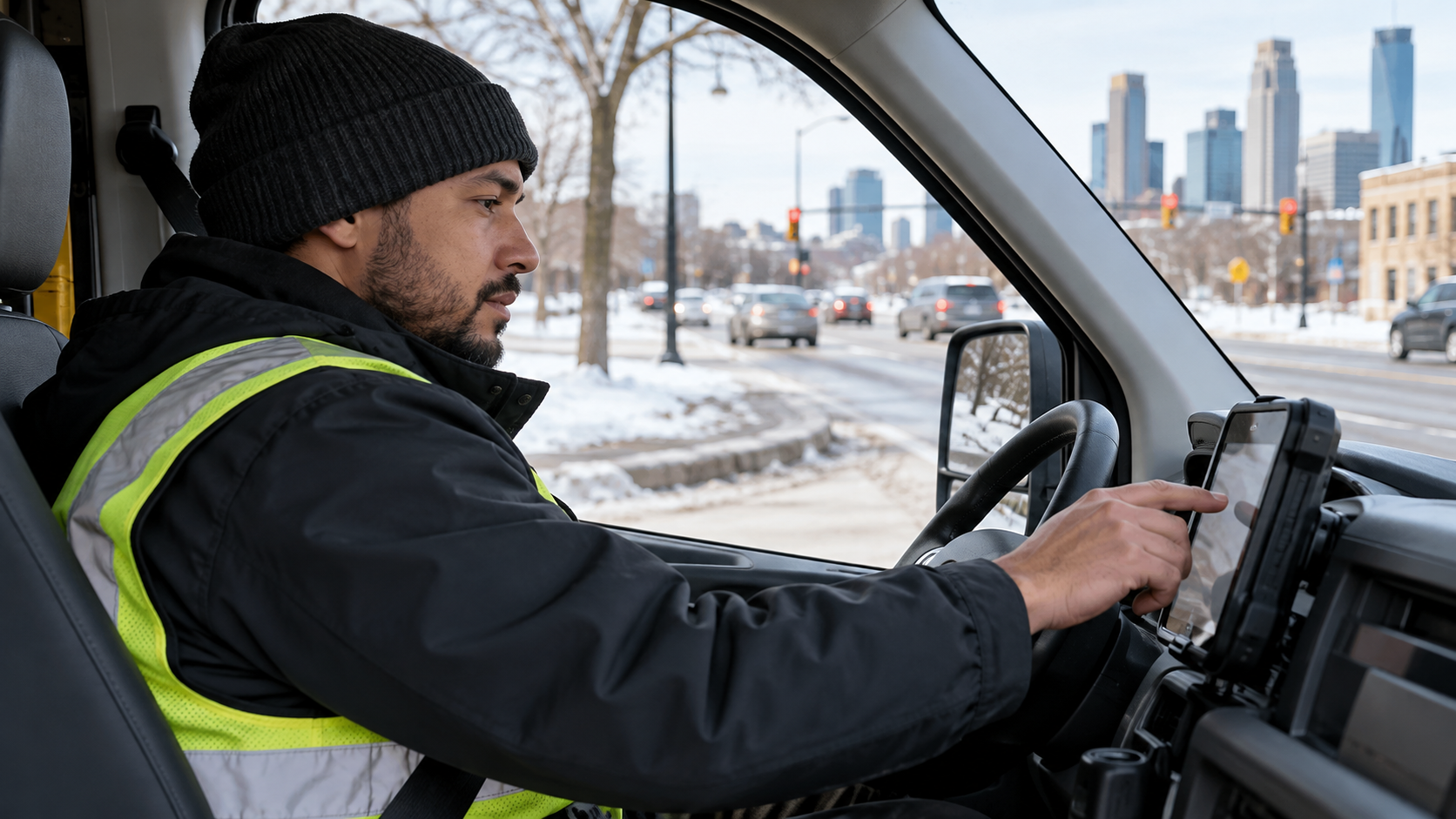
A delivery device sounds an alert while the driver approaches a busy intersection. The screen might show a changed stop order, a customer instruction, a scan exception, or a dispatch message. The driver cannot know which one it is without looking. That uncertainty is itself a reason to delay inspection until the vehicle is lawfully and safely stopped. A quick glance can become scrolling, typing, or route replanning before the driver realizes how much attention has left the road.
A Minnesota delivery driver pull over for device instruction decision asks whether the cue can be handled under the applicable hands-free rules and employer policy without drawing attention from driving. If the meaning requires reading, comparing addresses, inspecting a map, choosing an exception code, or replying, continue driving and find a lawful safe place to stop. Then read the full instruction and act. A delivery app's alert sound does not require an immediate roadside response.
This guide is about the threshold for stopping to inspect a work-device instruction. It does not decide the correct turn at a signed intersection, choose a delivery parking space, or prescribe how to handle a street closure. Those tasks have their own road observations. Here the question is when the driver's attention must move from the road to the device and how to create a safe opportunity for that work.
Classify the alert without reading a long screen
Some cues can be understood from a brief lawful hands-free prompt. Others require sustained visual or manual attention. An audible “continue straight” cue may be part of a navigation setup the employer permits. A banner that says “route updated” gives too little information to act on. Do not open the update while driving just to discover its contents. Let the cue wait until a safe stop or use an approved voice or dispatch channel only as allowed by policy and law.
Ask what action the alert is asking for. Is it a turn instruction that can be checked against the road, a new package assignment, a customer note, a changed address, or a required scan choice? If you must compare two records or make a decision on a screen, the vehicle should be stopped in an appropriate location first. The task may take only 20 seconds, but the number of seconds is not the only issue; attention and hand movement matter.
The CDC's distracted-driving guidance describes visual, manual, and cognitive distraction. A driver can be distracted while looking at a screen, handling it, or thinking through a complicated message. Hands-free features reduce some manual interaction but do not turn every complex instruction into a safe moving-vehicle task. Use the employer's stricter rule if it has one.
Do not treat a message marked “urgent” as a command to read it in traffic. It may concern a time-sensitive pickup or a safety issue, but the driver still needs a safe place and a clear channel to understand it. If the employer provides a dedicated emergency contact procedure, use it as trained. Avoid guessing an alert's content from its sound or color.
Know the legal and employer boundaries
Minnesota Statutes § 169.475 addresses use of wireless communications devices while operating a motor vehicle. It defines voice-activated or hands-free mode and excludes typing or scrolling from that definition. It also has terms about a vehicle lawfully stopped outside traffic. Read the current law and your employer's instructions for the device you actually use. Do not assume that a delivery scanner, phone, and built-in navigation screen are treated identically in every circumstance.
The practical boundary is plain: a driver should not scroll through route stops, type a reply, read a long customer note, or study a map while moving. If a lawful voice feature can deliver a short navigation cue, keep watching the road and obey traffic controls. If the cue is ambiguous or conflicts with a sign, continue with the lawful road movement and examine the device after stopping. The app does not override a sign or authorize a sudden maneuver.
Employer policy can be more restrictive than a legal minimum. Ask whether devices should be silenced, mounted, used only when parked, or handled by a passenger or dispatcher. Do not invent a hands-free exception because the device is employer-issued. A work purpose does not make an unsafe interaction safe. If policy is unclear, ask a supervisor before a route begins rather than learning the rule through a near miss.
Keep the device positioned so it does not block the view or require reaching across the vehicle. Set route preferences and mount it under the employer's rules before departure. Preparation reduces interruptions, but it cannot prevent every new message. The driver still needs a stop decision when a complex instruction appears mid-route.
Identify delivery device instruction review triggers
Use delivery device instruction review for messages that demand a real decision. A changed delivery address, a customer access code, a multi-step pickup instruction, a disputed scan status, or a supervisor's route change all deserve full reading while stopped. An instruction that could change where you go or which package you handle should not be accepted from a half-read banner.
Another trigger is uncertainty. If you cannot tell whether the prompt applies to the next stop or a later one, wait. If two alerts arrive close together, do not choose the one that seems easiest while moving. If the app says “confirm exception,” you need to understand which package and condition it means. A wrong code can create an inaccurate customer or custody record even if the driving maneuver itself was safe.
Visual complexity is a trigger too. Zooming a map, comparing street names, checking a photo, or reading a paragraph will draw attention from traffic. A screen requiring several taps makes the case clearer. If an alert is short but surprising, such as a sudden destination change, the cognitive work of evaluating it may still justify stopping. The driver can keep following the currently lawful route until there is a safe place to review.
If the device fails or freezes, do not repeatedly tap it while driving. Continue to a safe location, then troubleshoot under the employer's procedure. If route guidance becomes unavailable, use road signs and a safe stop to contact dispatch. A temporary device problem should not turn into an improvised maneuver or a false scan record.
Make a safe stop before reading a route alert
A safe stop before reading a route alert is not simply the nearest curb. Look for a place where stopping is lawful for the vehicle, the vehicle is outside the flow of traffic, and you can remain long enough to read and respond. Do not stop in a travel lane, crosswalk, bus stop, driveway, or another prohibited area just because the device vibrated. If no suitable space is immediately available, continue to one.
Check posted signs, traffic, and the vehicle's size. A delivery van may fit where a box truck cannot. A shoulder may not be a suitable place to stop merely to read a routine work message. Use the employer's roadside and parking policy. If the route passes through a highway segment, the next lawful exit or designated stopping place may be the right point for a nonemergency instruction.
Once stopped, secure the vehicle as trained. Then read the entire message, including dates, stop number, package ID, and any stated time window. Ask dispatch if it is unclear. Do not skim half a message and pull back into traffic while trying to remember the rest. Finish the necessary action or make a clear plan before moving again.
The law's distinction for a vehicle lawfully stopped outside traffic should not be stretched into permission to read at a red light or while queued in congestion. The vehicle is still part of traffic in those situations. The driver needs a genuine lawful stopping location for an interaction that cannot be handled under the applicable moving-vehicle rules.
Choose the stopping moment from the work deadline
Not every alert calls for the same timing. A note for a stop 20 minutes away can wait until the next planned lawful pause, provided the driver reviews it before that stop. A changed instruction for the next block needs an earlier safe opportunity. If there is no safe place before the decision point, continue with the currently lawful route and ask dispatch how to recover after stopping. Do not use the short deadline as a reason to read in the lane.
Use the employer's service windows as facts, not as pressure to improvise. If the message changes a pickup time, record the window after stopping and tell dispatch if the necessary detour will miss it. If the message is a customer note about where to leave a parcel, it must be understood before delivery, but it does not have to be read the instant it arrives. The driver can pause near the destination where stopping is permitted, then decide.
A traffic light is a poor planning moment. Even if a driver expects a long red phase, the signal can change while the driver is looking down. A queue can move suddenly. The Minnesota law's stopped-outside-traffic language is a reminder to distinguish a real parking or stopping location from a temporary halt that is still part of driving. Follow current law and the employer's device rule for the covered device.
If a passenger or co-driver is assigned and authorized to handle messages, ask that person to read or manage the instruction under company policy. The driver still needs to understand a safety-critical route change before acting, and the passenger cannot override signs or direct an unsafe turn. A spoken summary can reduce screen interaction, but a complex package handoff may still require a full review after the vehicle stops.
If the alert is a genuine emergency under the employer's procedure, use the designated emergency channel. That may require a different immediate response from a routine route notification. Do not classify an ordinary “stop order changed” banner as an emergency to justify device use. The operation should train drivers on the difference before they are alone on route.
Use a short threshold in a real route example
Imagine a driver on a two-lane city road with a navigation voice prompt to continue for one mile. The device then displays “Stop 8 changed; review instructions.” The driver can keep traveling lawfully toward a safe parking area and inspect the update there. If the changed stop is behind the driver, dispatch can advise a lawful return route. Turning around immediately without reading the instruction or road controls would create a second problem.
Suppose the message instead says “Use side entrance after 2 PM” for a stop that is still several miles away. The driver need not pull over in the first available gap if a lawful safe stop is ahead and there is time to review before the destination. The decision is to avoid reading while moving, not to stop abruptly. Plan the pause early enough to act on the message.
Now suppose the app announces that a package should be removed from the route. That requires checking which physical package is involved, whether it is on board, and who owns the new handoff. The driver should stop in a suitable place and review the assignment with dispatch. A brief audio cue cannot establish that the physical load and route record already agree. Do not change a scan status while driving.
The examples are hypothetical. They illustrate how message complexity, timing, and available stopping places interact. An employer may have a specific emergency protocol for a genuinely urgent safety alert. Follow that protocol without using routine delivery messages as a reason to use the device unsafely.
Resume only after the instruction is understood
At the stop, identify the source and time of the instruction. Was it a current dispatch update, a customer note attached to a specific stop, or an old route comment? Confirm which package or address it concerns. If it changes the route, look at the new order and check for conflicts with road signs and vehicle restrictions. If it changes a delivery procedure, make sure the required action is allowed under the employer's policy.
If you need to reply, do it while stopped through the approved channel. A useful response can acknowledge the instruction and state any constraint: “I received the stop change; the vehicle is safely parked. The package is on board, but the proposed access road is posted no trucks.” Use actual facts. Do not promise arrival or completion until you understand the route and physical task.
Before reentering traffic, put the device back in its approved position, set the next lawful navigation step, and check mirrors and traffic. Do not begin driving while the app is still loading a map or while you are composing a response in your head. If another alert arrives, use the same threshold. A series of messages does not reduce the attention each one requires.
If the instruction turns out to be irrelevant or already handled, record that only if the employer's workflow needs it. Avoid a long incident report for a harmless banner. The purpose of the pause is to make a clear decision and keep the route record accurate, not to turn every notification into administrative work.
Report a device workflow that repeatedly demands attention
Some systems prompt drivers for scans, confirmations, or route choices at points where the vehicle is likely to be moving. If this repeatedly happens, tell a supervisor where the prompts occur and what interaction they require. A useful report names the screen, the task, the road context, and whether the driver had to wait for a lawful stop. It may lead to a better training or workflow setting.
Do not respond by inventing scans before the work occurs or by clearing prompts while driving. A system design problem should be visible to the people who can fix it. If a delayed response affects a delivery timestamp, record the actual event time and explain the device pause under the employer's procedure. Accuracy matters more than a neat-looking dashboard.
NIOSH's work-driving safety information reinforces that employers and drivers both have roles in reducing road risk. For a delivery operation, that includes a practical way to handle messages without pressuring drivers to read them in traffic. The source does not prescribe a particular app design or callback rule; report the real workflow to the employer.
Drivers comparing roles can ask how route changes and customer messages are delivered while driving. The published delivery job offer review guide can help identify what the employer has actually promised about tools and support. The Saint Paul delivery driver Careers hub provides broader role context. For a current alert, the driver's immediate task is to keep attention on the road until a lawful safe stop is available.
Before pulling over for a device instruction, look for a lawful, safe stopping place that does not obstruct traffic or a delivery entrance. Once stopped, read the instruction and decide whether dispatch must clarify it. A notification can wait long enough to park safely; it does not authorize screen use while moving.