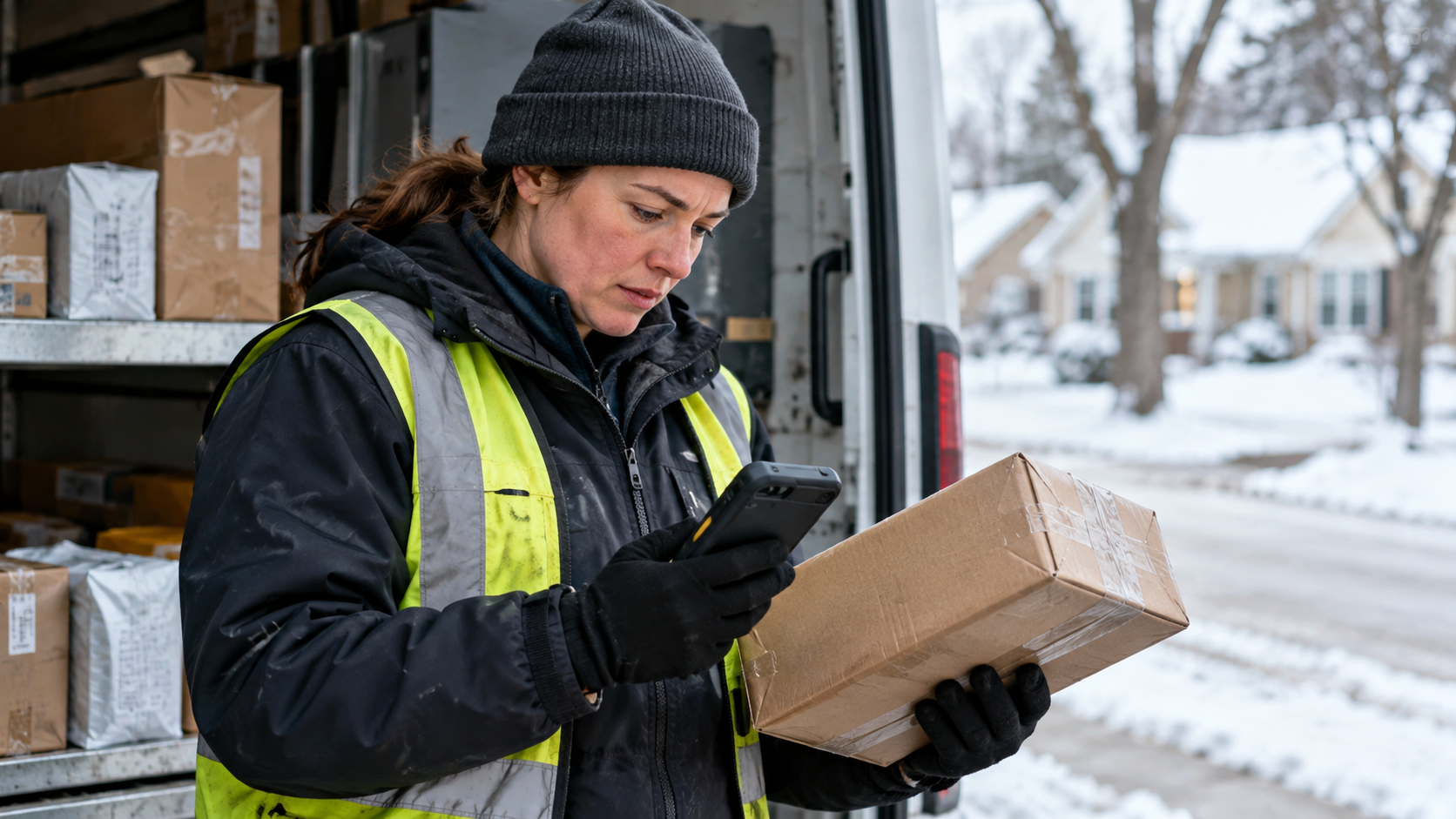
A parcel remains in the vehicle, but the route screen says it was delivered. Another stop shows a failed attempt even though an authorized recipient accepted the package. A driver may know the screen is wrong without knowing which system wrote the error or who can fix it. The tempting shortcut is to scan again, change a status that looks close enough, or ask a coworker to edit the route. Those actions can create a second inaccurate event rather than repair the first one.
To request correction of an inaccurate delivery route record, identify the exact stop and field that conflicts with the observed parcel history. Preserve the original event, its time, the source of the discrepancy, and the physical custody of the package. Send a bounded correction request through the employer's designated route or support process. Wait for an authorized resolution before making another destination write for the same event, and verify the corrected state afterward.
NIST's security and privacy control catalog provides broad context for information integrity and auditability. The NIST Privacy Framework concerns privacy risks in handling records. Neither source makes a delivery driver's memory automatically authoritative. The actual evidence is the route system's accepted history, device state, proof records, dispatch instructions, and physical parcel custody under the employer's process.
Name the field that is wrong
“The route is messed up” is difficult to investigate. Specify the route ID, stop or package ID, current displayed status, and the state you believe the evidence supports. A route record can be inaccurate in several ways: wrong delivery location, wrong timestamp, wrong recipient, missing proof, duplicate attempt, or an item assigned to the wrong driver. Each requires a different correction path. Do not bundle unrelated stops into one vague request if the system can track them separately.
Read the current screen carefully before reporting it. A stop marked “out for delivery” may differ from a package-level “delivered” event. A local device view may lag behind the destination system. A draft note may be visible only to the driver. State which view you checked and when. If dispatch has a different view, the discrepancy itself is useful evidence; it does not mean one side should be silently overwritten.
Use exact identifiers whenever possible. Two parcels at the same apartment can have different service levels and histories. A correction for “unit 406” could affect the wrong one. If a label or stop ID is unreadable, report that uncertainty and let support identify the item from the authorized manifest. Avoid copying a full customer address into personal notes to remember the dispute.
Preserve the delivery event audit trail
The delivery event audit trail is the sequence of what was attempted, accepted, changed, and by whom, as supported by the actual system. A correction should explain the original wrong entry rather than make it vanish without context. Drivers may not control how the platform stores history, but they can provide a truthful account of the event and avoid manufacturing a later scan that hides it.
Record the time of the physical action and the time of the app action separately. A recipient may have taken the parcel at 1:40 p.m. while the app submission failed at 1:43. A route reassignment may have happened after the handoff. Those details help support distinguish a late synchronization from a wrong scan. If the device gave a confirmation number or error message, include it through the approved support channel.
Do not delete a draft, crop proof, or change a note merely to make the history look neat. If the employer's process instructs a particular administrative edit, follow it and identify the original version. An honest correction can leave a visible record of the mistake. That is better than an unexplained new event that suggests a second delivery occurred.
Check the physical parcel before requesting a new status
The package's real location constrains the correction. If it is still in the driver's vehicle, an accepted “delivered” status needs investigation before another attempt is recorded. If it was handed to a recipient, the route should not be corrected to “undelivered” just because proof is missing. If the item was transferred to a coworker, identify the handoff and current custodian rather than assuming either driver completed the stop.
Count the relevant items and record their identifiers under the work process. A driver should not use a route screen alone to infer physical custody after a busy handoff. A package may be on a receiving desk, in a secure return cage, or still on a vehicle shelf. If you cannot confirm its location, say so. The correction owner may need to check loading scans, handoff records, or depot inventory before changing a customer-facing status.
The distinction also prevents a dangerous “fix” in which a driver marks a parcel delivered to clear a route card. The digital event must describe the actual delivery. If the package is missing, that is a separate incident to report. A route-record correction cannot substitute for locating the item.
Build a route record correction request
A route record correction request should contain the stable route and item identity, the disputed field, the current displayed value, the observed physical facts, and the evidence that supports a different value. Add the time and device involved if they matter. State the requested outcome as a question when the evidence is incomplete: “Please reconcile whether stop 18 proof was accepted” is more accurate than “Change stop 18 to delivered” when the destination state is unknown.
Separate firsthand observation from information received from another person. “I handed the parcel to the named recipient and saw a signature screen” is different from “The building desk told me it was delivered.” Include the source of a dispatch instruction and any case reference. Do not include irrelevant customer details, unrelated route screenshots, or speculation about a coworker's motives.
Use the employer's designated support ticket, route correction form, or dispatch escalation. If a supervisor takes the request by phone, ask how it will be recorded and how you will learn the result. A text to a friend who works the same shift is not a correction request. The person who can change the authoritative record should receive the exact discrepancy and its evidence.
Do not replay an uncertain write
An app submission can time out after the destination accepted it. It can also fail before acceptance. If you do not know which happened, a second scan or proof upload may create a duplicate or contradictory event. Preserve the attempt time, device, stop, and visible response. Ask the authorized support team to check the accepted destination state. Only then follow the approved correction or continuation path.
A fresh screen on a replacement device is not always enough to establish a no-write finding. It may be stale or show a local view. Likewise, a spinner on the old device does not prove the write is pending. The route owner should reconcile the actual record before asking a driver to try again. This is especially important when proof images, signatures, or recipient names are attached to the event.
If the correction requires a new action, make sure it represents something the driver actually did. A driver cannot repeat a recipient signature from memory or photograph a parcel at a door after the parcel has moved. The system may offer an administrative correction path for such cases. The driver should provide the evidence; the authorized owner chooses the method.
Work through a mistaken-delivery example
Imagine a Saint Paul driver notices stop 21 marked “delivered” while its parcel remains in the vehicle. The previous stop involved two boxes for the same building, and the driver suspects the wrong item was scanned. They secure the parcel, note the two package IDs, the accepted screen state, and the time of both actions. They request a correction through the designated route channel. They do not hand the parcel to a passerby or scan it again as though the first event never happened.
Support compares the destination record, proof, and package identities. If the wrong parcel ID was attached to a real delivery, the correction must preserve that original event and associate each physical item with the right status under the platform's procedure. If the “delivered” view was only a stale local display, support may find the destination already accurate. The driver reports what they saw; they do not preselect the technical explanation.
Now change one fact: the parcel for stop 21 is no longer in the vehicle and the driver cannot confirm whether it was handed to the receiving desk. That is a custody uncertainty, not merely a wrong screen label. The correction request should name the last verified location and seek a parcel trace. A status change alone would not answer where the item went.
Account for customer-facing effects
A wrong route entry can affect what a customer sees. A false “delivered” status may prompt someone to search for a parcel that has not arrived. An incorrect failed-attempt note can make it appear that a driver visited a location they never reached. Tell the route owner if the displayed state may require customer communication. Do not contact the customer independently with a speculative explanation or promise an update before the record is reconciled.
The correction owner may need to adjust proof, status, and customer-facing message separately. A driver should ask which fields were actually changed and whether a case remains open. “Support fixed it” is too vague when the parcel is still in the vehicle or a customer has already seen an inaccurate notification. Get the current instruction for the physical item and the next route step.
If a customer raises the discrepancy directly, record their claim through the approved channel and compare it with the work evidence. A customer may know that the parcel is missing from the porch while the system says delivered; that is important evidence, but it does not alone identify the cause. Preserve the claim and the driver observations separately so the authorized team can investigate.
Verify the corrected record before continuing
After the authorized owner acts, compare the current record with the decision and the physical parcel state. Check the specific item, stop, status, proof, timestamp, and next assigned action that were in dispute. A generic message saying “resolved” may close a ticket while the route card still shows the old value. Ask for clarification if the result does not match the case resolution.
Confirm the correction did not create an unintended duplicate. Two delivered events for one parcel, a proof image on the wrong stop, or an item visible on two drivers' routes requires further reconciliation. Report the remaining discrepancy through the same case when possible so the original evidence stays connected. Do not start a new, unexplained edit cycle that hides the first correction.
Compare the case outcome with any customer-facing view only through an authorized tool. A support ticket may say the internal record is corrected while an external tracking page updates later. If those views still conflict, note the exact page and time rather than declaring the correction failed from one refresh. The route owner can determine whether the difference is normal propagation or a second error. The driver should not promise the customer that a page has changed until that public state has actually been verified.
If the employer's system updates slowly, record which view is authoritative and when the driver may continue. A delayed mobile display should not make the driver repeat the action. The route owner can tell the driver whether to wait, use a read-only refresh, or proceed to a distinct next stop. Keep any unresolved issue assigned to a named owner at shift handoff.
Keep correction evidence in work systems
Photos, signatures, call logs, and messages may help resolve a wrong route record. Use the employer's approved evidence channel. Do not save customer proof to a personal camera roll or forward a full route screenshot to a private email simply because a support ticket is difficult to attach to. Identify the exact item and evidence source; the authorized reviewer can retrieve it from the work system when available.
If a handwritten sheet is the only record of an outage, return it according to the employer's document procedure after the relevant facts are entered or preserved. Do not destroy it before support determines whether it is needed. If the evidence itself is missing, say so. A correction request can still be opened, but its conclusion may remain uncertain until another source verifies what happened.
Avoid altering an original photo or timestamp to make it support a preferred status. A correction is strongest when it shows the discrepancy honestly and lets the authorized owner decide. If your own earlier entry caused the error, state that fact. The route record needs accuracy more than a polished story about why the mistake happened.
Carry open corrections through a shift handoff
An unresolved correction should have a case reference, named owner, and precise parcel custody at handoff. Tell the next driver which event is uncertain and which actions are prohibited until support resolves it. Do not ask them to rescan the same parcel merely because your shift ended. They need the current route state and the last verified physical fact, not a private conversation about what may have happened.
If the parcel is transferred, follow the authorized custody procedure and record both workers. The incoming driver should know whether they may attempt delivery or must hold the item for a trace. If the customer-facing record is wrong, dispatch may need to coordinate the next communication. The driver handoff does not itself correct the destination record.
At the next shift, close the loop on the case if the employer assigns that responsibility. Check whether the correction was accepted and whether any customer or parcel follow-up remains. A ticket closed as “reviewed” may still have a physical item to deliver or return. The practical end state is one verified route history that matches the item and a named next action for any remaining exception.
Ask about correction support when comparing driver roles
Applicants can ask an employer who handles wrong scans, how an uncertain upload is reconciled, and whether drivers can see correction results. What is the process if a parcel remains in the vehicle while the app says delivered? Who speaks to the customer? A clear answer protects both the driver and recipient because mistakes can be fixed through evidence rather than improvised second scans.
The Saint Paul delivery driver Careers hub provides local role context. The published delivery job-offer review guide can help a candidate ask about app support and route expectations. Once working, use the employer's actual correction authority and destination system; a general article cannot grant edit access.
The driver contributes the exact discrepancy, the event timeline, and the physical parcel facts. The authorized owner reconciles the destination and approves any change. Checking the resulting record completes the request. If the evidence still conflicts, keep the case open with a named next diagnostic rather than converting uncertainty into a convenient status.