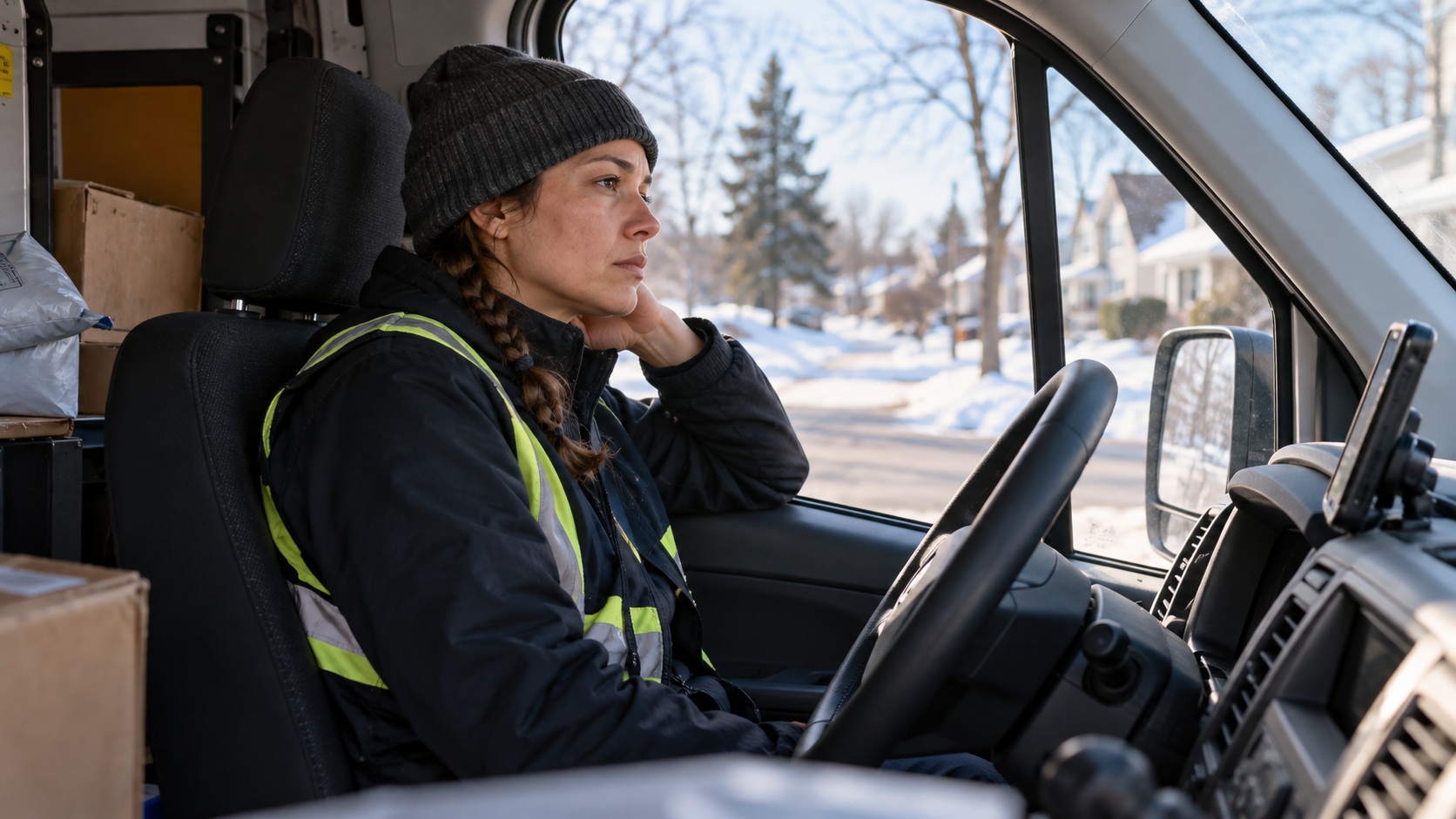
A driver leaves a stop after a customer disputes a delivery instruction. The parcel is back in the van, dispatch has been contacted, and the app shows the next address. The driver is still replaying the conversation. Starting the next leg immediately may carry that distraction into traffic or into another customer's handoff. A short, deliberate reset helps separate the unresolved exception from the next task.
To reset attention after a stressful delivery exception, first secure the vehicle and parcel, complete the employer's actual event and incident steps, and tell dispatch what remains open. Then pause in a safe legal place. Notice whether you can follow the next instruction and drive attentively. Before moving, review the active route, destination, and any new assignment. If you cannot regain enough focus to drive safely, contact the supervisor for help rather than forcing the next stop.
The CDC's stress guidance notes that stress can affect concentration and decisions and suggests ordinary coping steps such as pausing and breathing. Minnesota law on wireless communications remains relevant when a driver is tempted to message while moving. Neither source supplies an employer-specific delivery exception procedure. Follow the current route and safety instructions for the actual event.
Recognize delivery exception stress before driving
A driver may feel delivery exception stress after a confrontation, an inaccessible building, a disputed scan, a near miss, or a route change that appears impossible. It may show up as racing thoughts, frustration, or repeatedly checking the previous stop instead of the road ahead. A driver does not need to diagnose a condition to notice that attention is still tied to the event.
Take stock while parked. Can you state where the parcel is, what the app says happened, and what the next active assignment is? If the answers are unclear, resolve the work record before driving. If those facts are clear but the mind keeps returning to the encounter, allow a brief pause to settle. The goal is not to erase a normal reaction on command. It is to notice when the reaction is affecting the next driving or delivery decision.
Do not treat a dashboard countdown as proof that the driver is ready to move. A late stop can be escalated or reassigned. A driver who leaves while still searching a phone for the previous customer's message may create a safety problem that costs more than the minute saved.
Secure the unfinished stop first
Before a personal reset, make sure the exception is not leaving an immediate hazard or custody gap. Is the parcel back in the vehicle and secured? Is the vehicle legally parked? Has a supervisor or dispatch received the operational fact they need? If a threat is ongoing, use the employer's safety or emergency procedure; an ordinary breathing pause is not a substitute for leaving danger or seeking help.
Record only the event that happened. If the customer refused the item, the employer may have a specific refusal or exception code. If the driver could not reach the address, that is a different event. Do not mark the parcel delivered to clear the stop before taking a pause. A truthful scan and custody note prevent the driver from carrying a second unresolved question into the next route leg.
If dispatch is still deciding what to do, ask whether the driver should wait or continue with other stops. A clear instruction ends the operational loop. A driver who starts moving while expecting an immediate callback may be tempted to read a message at the wheel. Agree on the next contact point or pull over again when the response arrives.
Use a brief safe pause, not a hidden route event
Find a lawful place to park if the driver is not already at one. Secure the vehicle under employer instructions. A pause may be short: put the phone down, take a few steady breaths, stretch if appropriate, drink water if available, and look away from the disputed screen. The CDC describes general coping tools; a driver should choose a simple action that helps them return attention to the present task.
Use the employer's timekeeping or break process when the pause meets that process. Do not enter a fictitious delivery or attempt so the route app stops counting time. A short safety pause and an assigned meal break are different events. If the driver needs a longer period or the route cannot continue safely, contact the supervisor and ask how to record the time and cover the work.
Do not turn the pause into a second argument. Re-reading every message from the previous stop may keep the driver engaged with it. Save the relevant facts through the approved incident channel, then set the record aside until the designated owner responds. The next question is whether the driver can safely carry out the current assignment.
Run a safe route restart check
A safe route restart has three parts: the driver is ready to operate the vehicle, the active assignment is known, and the next destination is set while parked. Check mirrors, belt, controls, and the cab after any rushed handling of the device or parcel. A scanner left on the seat can fall underfoot during the next turn. The cab-organization guide covers the fuller layout; here the check is part of returning from a stressful stop.
Confirm the next stop belongs to the current route. Dispatch may have removed the disputed stop, added a pickup, or sent a new instruction during the pause. Read and respond while parked under the employer's process. Do not assume the app's first highlighted address is still the correct next destination if the route changed.
Finally, ask whether your attention is on the road ahead. Can you describe the first turn and the legal place you expect to stop? If not, remain parked and seek help. This is a practical self-check, not a medical test. It gives the driver a moment to catch an obvious lapse before moving the van.
Work through a refused-delivery example
Imagine a driver reaches a business at 2:05. The receiver says the delivery is not expected and refuses the package. The driver follows the employer's refusal procedure, keeps the parcel in custody, and sends dispatch the relevant event details. The receiver's tone was sharp, and the driver feels embarrassed and angry. A 2:30 pickup is next on the route.
The driver parks safely, confirms that the refusal event is recorded and the parcel remains secured, then takes a short pause. Dispatch replies that the driver should continue to the pickup and return the refused parcel later. While still parked, the driver checks the pickup address and route instructions. Only then do they set out. The dispute remains a documented issue for the route owner, but it does not occupy the driver's hands or eyes on the next leg.
Change one fact: dispatch has not answered and the app still says “delivered.” The driver should use the approved correction or support path before assuming the record is closed. Change another: the receiver threatened the driver. The safety response and incident escalation take priority over a routine restart. The driver may need a supervisor's decision about whether to continue at all.
Keep the incident record concise and separate
Write the factual incident record in the employer's approved system: time, location identifier, parcel status, what occurred, actions taken, and who was notified. Avoid a running commentary written while upset. If a detail is uncertain, say so. A concise record frees the driver from trying to rehearse the entire encounter to remember it later.
Separate facts from feelings without pretending feelings are irrelevant. “Receiver refused the package and told me to leave” is a route fact. “I feel too shaken to drive right now” is a safety and support fact to tell a supervisor. Both can be true, but they belong in the appropriate channels. A customer-facing delivery note should not carry a private account of the driver's emotional state.
Do not use an ordinary personal phone gallery as the incident archive if employer policy restricts customer images or locations. Ask where evidence should be submitted and retained. Once it is stored correctly, the driver can turn to the next task without worrying that the facts will vanish.
Tell dispatch when the route needs a change
A driver may be able to continue after a short pause but need a later stop reordered. Report the operational effect: “The exception took 15 minutes, and the 2:30 pickup may now be late.” Dispatch can change priority, contact the receiving site, or assign another driver. Do not hide the delay by creating a scan at a stop the driver has not reached.
If the driver cannot safely continue, say so directly. The supervisor may arrange relief, a longer break, a different task, or an incident response. The driver should follow the employer's process for vehicle, keys, device, and parcels before leaving. A route with live packages cannot simply be abandoned at the curb because the driver needs time away from driving.
Keep the communication brief enough for the route owner to act. They need the current location, assigned items, time-sensitive next commitment, and what help is required. The emotional detail can go to a supervisor or support channel that handles worker welfare. A driver should not have to explain private history to an entire dispatch group to request a safe change.
Do not use the next customer as a reset
Moving to another stop may feel like a way to escape the previous one, but the next customer should not absorb an unresolved reaction. Before approaching them, check the correct parcel and service instruction. Avoid rushing a signature, skipping a required scan, or responding defensively to an ordinary question because the last conversation went badly.
If the driver notices a sharper tone than usual, step back into the approved service script and keep the interaction factual. If the situation becomes unsafe, leave and use the employer's escalation path. The driver does not need to perform cheerfulness; they need to complete the service accurately and respectfully.
After the next stop, a brief check can reveal whether attention returned. Was the correct package selected? Was the scan recorded at the actual event? Was the van secured? If not, stop and correct the issue through the approved process before compounding it at later stops.
Handle an app or scanner failure differently
Not every stressful exception involves a person. A device may freeze after a handoff, leaving the driver unsure whether a scan saved. The first step is to preserve the physical truth: where the parcel went and who has it. Then follow the employer's device or sync process. Do not keep tapping “delivered” in frustration, because duplicate or wrong events may be harder to reconcile.
Once support owns the technical problem, the driver can take a brief pause and restart attention on the current assignment. Check whether the next stop is still active and whether offline work is authorized. If the device remains unusable, dispatch may supply another tool or instruction. A driver who continues from memory without approval can create more uncertainty than the original failure.
The separate scanner and sync guides cover their technical steps. This article addresses the transition after the exception: the driver should know the item's physical state, the owner of the unresolved record, and the next authorized task before driving away.
Use a simple sequence when attention feels scattered
After an exception, a driver can use a short sequence while parked: name what is finished, name what remains open, and identify the next authorized action. “The customer refused the parcel; it is secured in my van; dispatch owns the return decision; my next assigned pickup is at the clinic.” That statement does not solve the dispute. It keeps the driver from mixing the old stop with the new task. If any part is unknown, ask the route owner before moving.
Then make one physical check of the vehicle and one digital check of the route. Is the scanner secure and the cab clear? Does the next destination on the app match the dispatch instruction? Avoid repeatedly refreshing the previous stop's status once support has accepted it. A driver who keeps reopening the same screen may miss a later route change and stay mentally anchored to the dispute.
The sequence should take only as long as needed, with no promised duration. If a few quiet breaths and a route check restore attention, the driver can proceed under the employer's instruction. If the mind still feels scattered, extend the pause and contact a supervisor. A timed countdown is not evidence of readiness. The driver is the person who can notice whether they can now follow road and route information.
This sequence also helps when another worker calls for an update. The driver can report the factual state and the named owner instead of retelling the emotional exchange. If the caller needs a different decision, stop safely to discuss it. A calm, concise handoff reduces the chance that the incident is reopened in several disconnected messages while the vehicle is moving.
Notice when a short pause is not enough
Some events demand more than a moment of breathing. A collision, threat, injury, or severe distress may require emergency help, an incident response, or relief from driving. Follow the employer's safety instructions and seek appropriate care. Do not use this article as a checklist that obliges a driver to resume after a fixed number of minutes.
The CDC notes that stress can affect concentration and decision-making. If the driver cannot follow route instructions, keeps missing obvious road cues, or feels unable to drive safely, tell a supervisor and remain in a safe place. The employer can arrange coverage. A later conversation may address whether additional support or leave is needed; the immediate route question is how to secure the vehicle and packages while the driver is not operating it.
If the event was a threatened confrontation, preserve the incident facts and use the specific safety procedure for that situation. The threatened-confrontation guide owns the response during the stop. A reset begins only once the driver is out of danger and the immediate safety steps are handled.
Make the next shift easier to start
After the route, review whether the difficult stop exposed a process gap. Perhaps the app's refusal code was hard to find, dispatch did not answer the first contact, or the driver was unsure where to park safely before calling. Report the gap through the employer's feedback channel. A clearer procedure can reduce the cognitive load the next time a similar exception happens.
Avoid writing a personal rule that contradicts the employer's current process. A workaround used once during an outage may not be approved for the next route. Ask which instruction has changed and keep the answer with the work materials. The goal is a reliable transition from incident to next assignment, not an increasingly long private checklist of every bad stop.
Applicants can ask how dispatch supports drivers after exceptions and who decides whether a route continues. The Saint Paul delivery driver Careers hub gives local role context. The published delivery job-offer review guide can help candidates ask about training and support before accepting a position. Active drivers should use their employer's live incident and route procedures.